For customers with multiple locations:
PartsWatch is removing the INVENTORY REDISTRIBUTION screen, accessed from Menu, Inventory, Inventory Distribution – Old, or Menu, Purchasing, Inventory Distribution – Old.
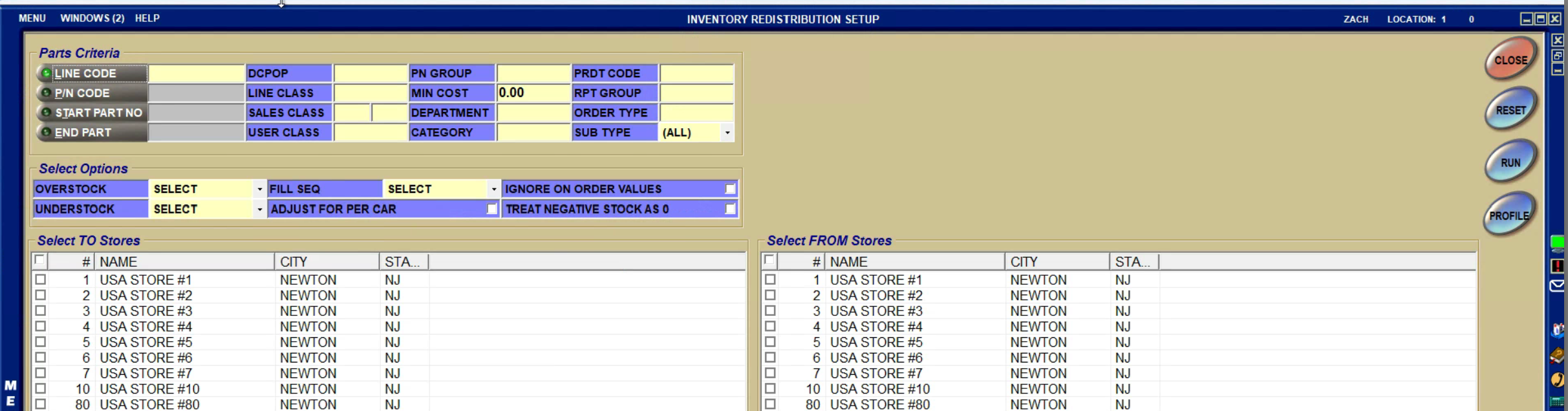
The new INVENTORY REDISTRIBUTION screens (accessed from Menu, Inventory, Inventory Distribution, Inventory Redistribution Review and from Menu, Inventory, Inventory Distribution, Inventory Redistribution Setup) have been in the application side-by-side with the old screen throughout multiple versions.
The new screens (below) do everything that the old screen did and more!

In the future, PartsWatch may be removing screens immediately so that there is no confusion between the old screen and the new screen.
PartsWatch plans to remove access to the screens from the Purchasing menu, and leave them only in the Inventory menu.