… that the screen that displays at login can be set up in the ‘HOME’ drop-down field on the USER SECURITY SETUP screen?
Menu Path: Controls, System, User Security Setup, USER SECURITY SETUP screen
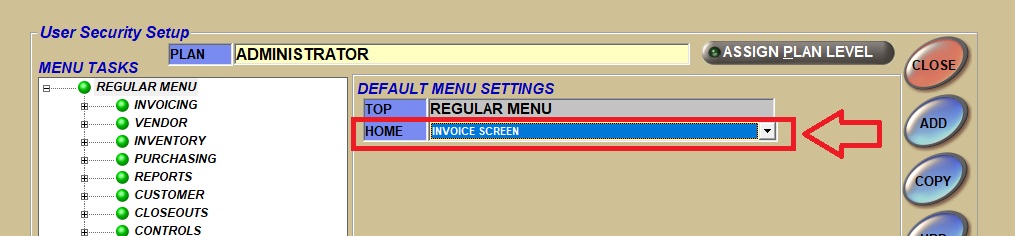
For example, you can select the INVOICE screen as the ‘HOME’ screen, and the application will open to the INVOICE screen when you log in.
Whatever screen is selected in the drop-down is the first screen that opens when any user (in that group, this is set at the ‘PLAN’ level) logs in to the PartsWatch application.