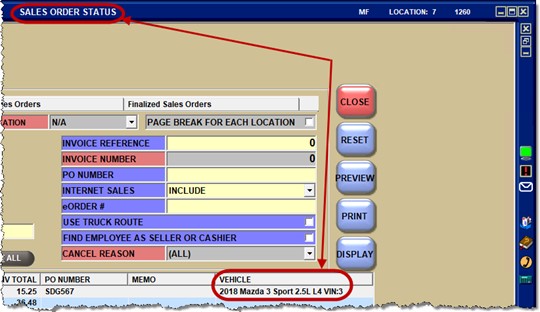
… that PartsWatch displays vehicle information in the ‘EXISTING INVOICE REFS’ pop-up?
(Menu Path: Invoicing, Invoicing Screen, INVOICE screen)
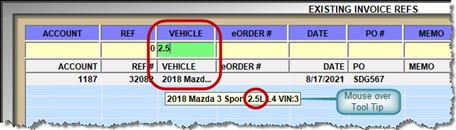
This makes it quicker and easier for the counterperson to find the appropriate open reference to add line items or finalize the sales order.
Note: A vehicle will only display after a successful catalog lookup places the part on the open sales order. Otherwise, the ‘VEHICLE’ column will be blank.
Furthermore, the vehicle column was also added to the SALES ORDER STATUS screen.