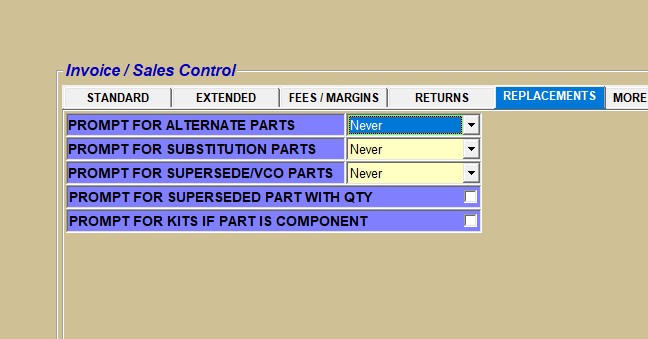
… that you can set up an option to see a pop-up including any of the 5 part replacement options below after entering a part on the sell line?
- A list of all alternate parts and their quantities available.
- A list of all substitution parts and their quantities available.
- A new supersede or VCO part and their quantity available.
- An old superseded part that still has quantity available to “sell down”.
- A list of Kits that the part is contained in as a component. Note: For BOM parts, you can see the quantities available.
Menu Path: Controls, Store, Invoice Options, STORE INVOICE OPTIONS screen, ‘REPLACEMENTS’ tab